 LaBelle Bridal
Wedding day app features your guests will actually use.
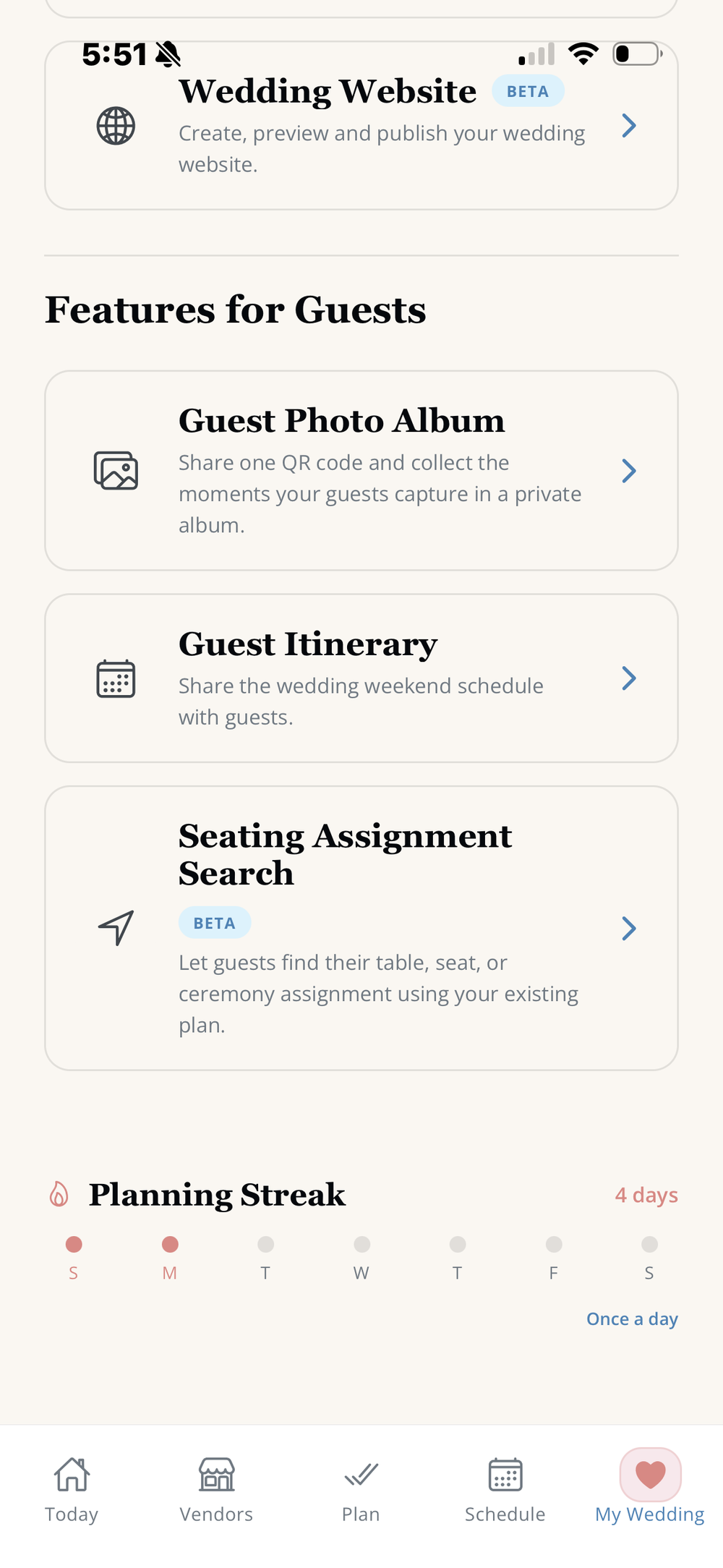
Give guests one simple way to view the wedding itinerary, upload candid photos, find their seating assignment, RSVP and stay connected to the details of your celebration.
A better wedding guest experience.
Guests should not have to search old messages, carry multiple paper cards or ask the couple where to find basic wedding information.
LaBelle Bridal connects guest-facing tools with the plan you are already building, making it easier to share useful details without creating another disconnected system or making guests search across multiple wedding-day apps.
Wedding itinerary for guests
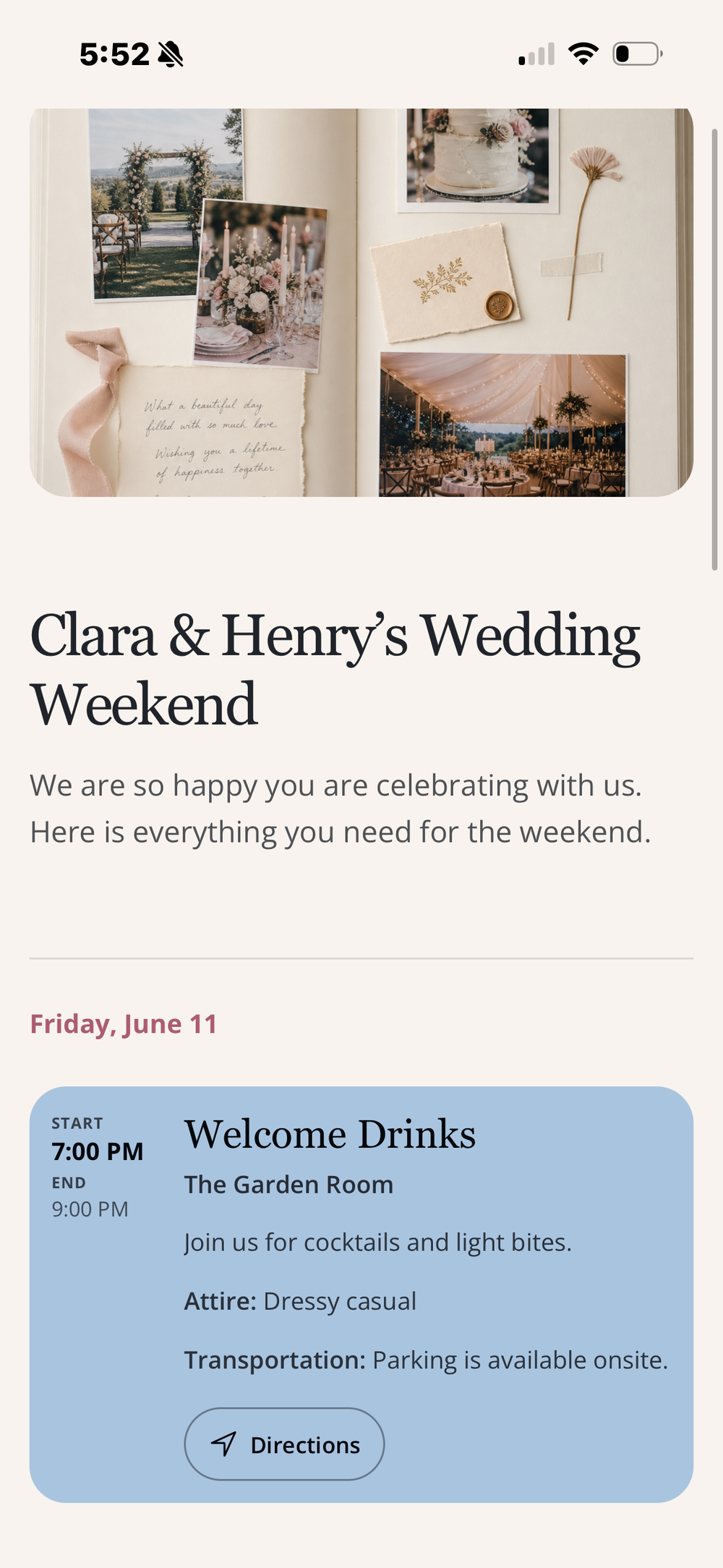
Share the wedding-weekend schedule, event times, locations, attire notes, transportation details and directions in a guest-friendly view.
How the guest itinerary works
The couple creates the schedule in LaBelle Bridal and publishes the relevant moments for guests. When plans change, guests can return to the same itinerary instead of relying on an outdated screenshot or printed insert.
Wedding photo QR code
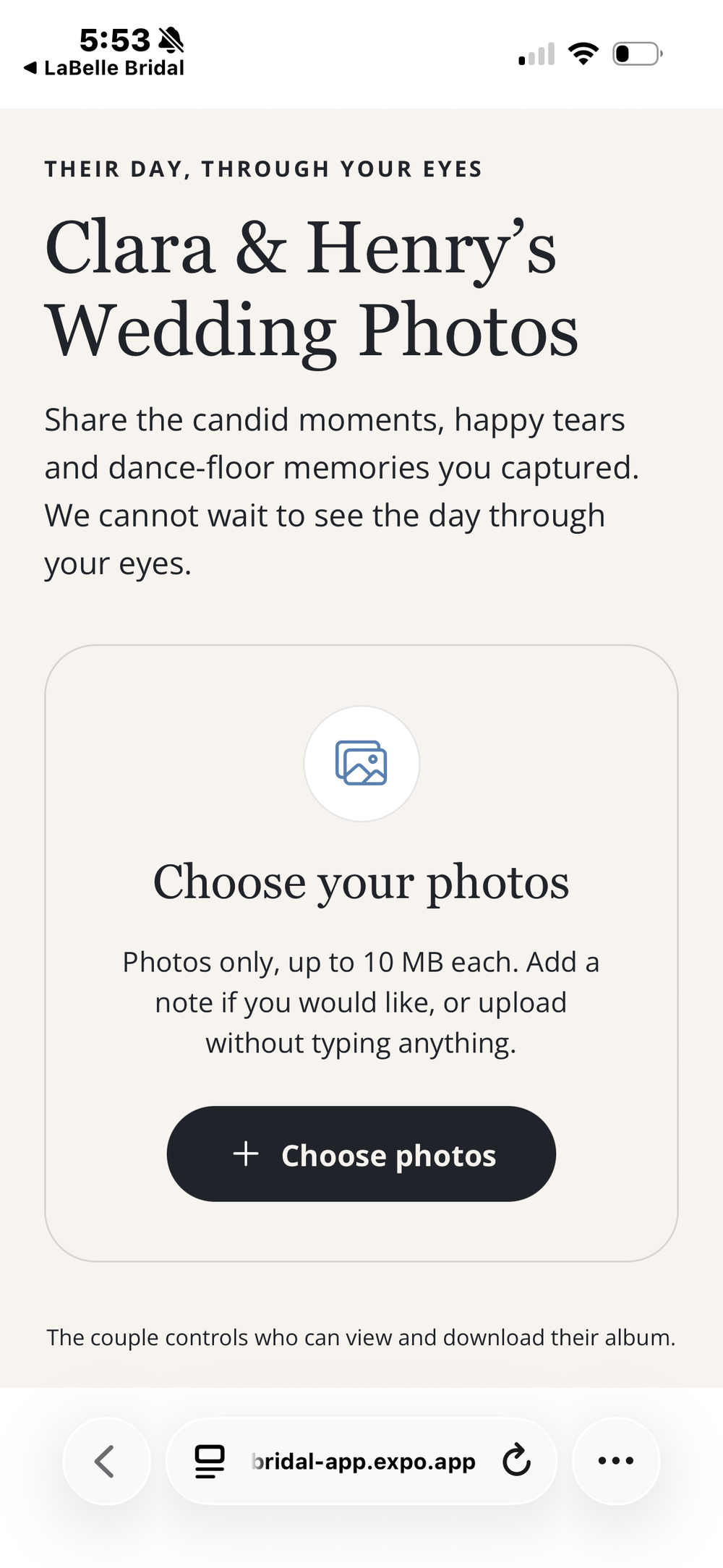
Collect the candid moments guests capture in one private wedding photo album through a simple upload link and QR code.
How guests share wedding photos
Guests open the photo-upload page, choose images from their phone and send them directly to the couple's album. They do not need to text photos one by one or post them publicly for the couple to find later.
Seating assignment search
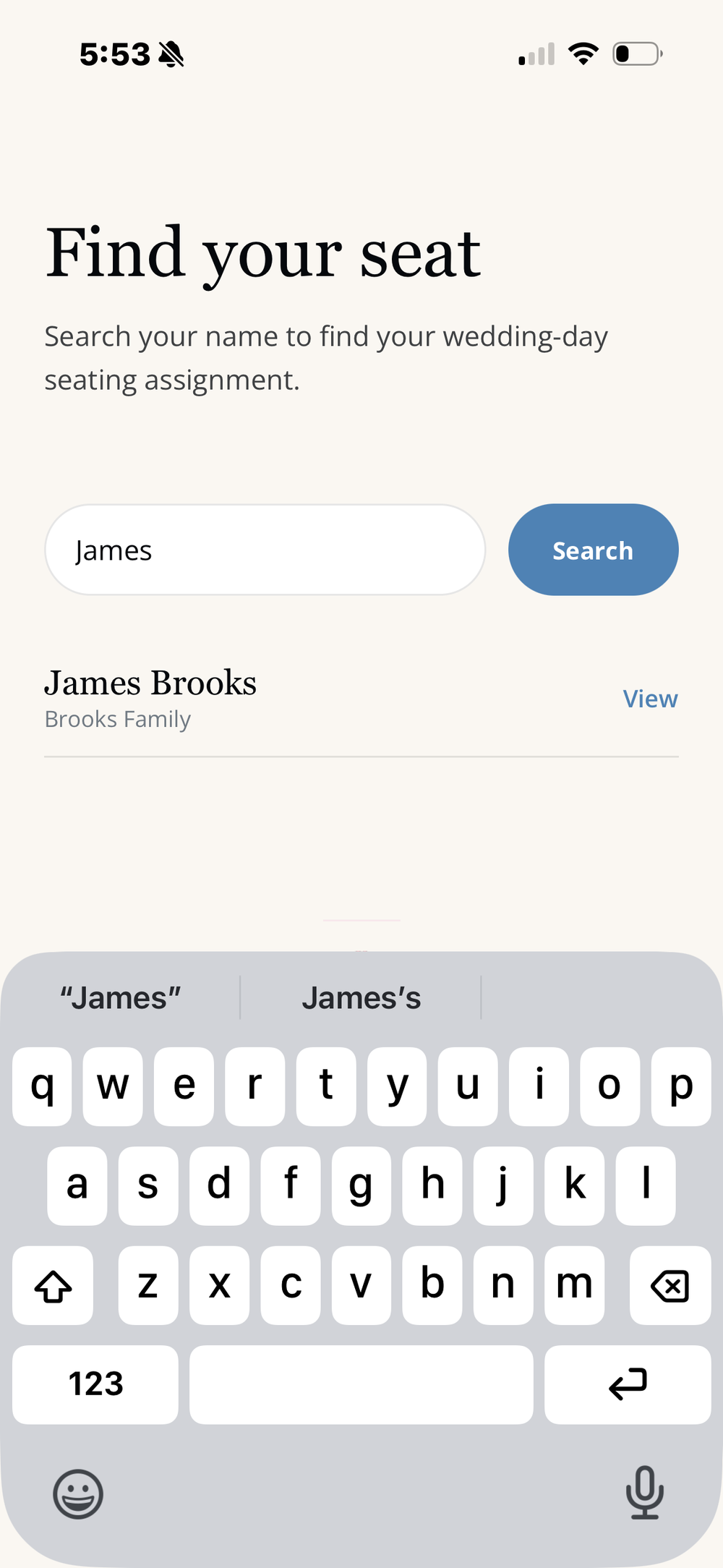
Let guests search their name and quickly find their table, seat or ceremony assignment using the couple's existing seating plan.
How the virtual place card works
The couple organizes the seating plan in LaBelle Bridal. Guests use the shared seating-search page to find their assignment, helping reduce congestion around printed seating charts and last-minute questions.
RSVP details that stay connected
Keep guest names, attendance status, meal selections and accessibility details connected with the guest list and seating plan.
What couples can manage
Couples can review RSVP replies, see who is attending or still awaiting a response and export their guest information when needed. Connected details make seating and final vendor counts easier to manage.
Your wedding website and registry links
Give guests a home for your wedding details, online RSVPs and registry links.
A clear place to find the details
Create and publish your wedding website from LaBelle Bridal. Keep your registry links together and sync them with your website so guests can find the registries you have chosen. Website RSVP replies connect with your guest list and seating plan.
Wedding music and song requests
Keep the couple’s music choices and guest song requests organized for the DJ, without routing every request through the couple.
How music sharing works
Add your song choices in LaBelle Bridal and let guests submit their requests. Share a separate link with your DJ so they can review the couple’s list and guest requests without the couple having to relay each suggestion.
Simple for guests. Connected for you.
Every guest-facing page is designed to make one specific task clear on a phone—whether a guest is checking the weekend schedule, sharing a photo or finding a seat.
How it comes together.
Build your plan
Organize your guest list, seating assignments, itinerary and wedding details inside LaBelle Bridal.
Share the right link
Give guests direct access to the itinerary, photo upload page or seating search when they need it.
Keep details connected
Manage guest information within the same wedding workspace instead of piecing together separate tools.
Questions about wedding apps for guests.
Do guests need to download LaBelle Bridal or create an account?
Guests can open the shared itinerary, photo-upload page and seating-search page in their phone’s browser without a LaBelle Bridal account. The couple uses the iPhone app to organize the wedding and share the relevant links.
What is free?
LaBelle Bridal is free for brides on iPhone. Guests do not need to purchase the app to open the shared guest pages. Optional professional planner subscriptions are separate from the bride’s free planning experience.
What is a wedding app for guests?
A wedding app for guests gives invitees a mobile-friendly way to access useful wedding information and interactive features. With LaBelle Bridal, guest-facing tools can include the wedding itinerary, photo uploads and seating-assignment search.
Which wedding app is best for guests?
The best wedding app for guests is easy to open on a phone and makes the most common wedding-day tasks clear. Look for a simple itinerary, QR photo sharing, seating search and current event details without forcing guests to hunt through messages.
What should a wedding day app include?
A useful wedding day app should help guests answer practical questions quickly: where to go, when to arrive, what to wear, how to share photos and where to sit. It should also keep those details connected to the couple's planning tools.
Can guests upload wedding photos with a QR code?
Yes. Couples can share a QR code or direct link that opens the LaBelle Bridal guest photo-upload page, where guests choose photos from their phone and add them to the couple's private album.
Can guests find their wedding table online?
Yes. The seating-assignment search lets guests enter their name and find the table, seat or ceremony assignment connected to the couple's seating plan.
Can guests view the wedding itinerary on their phone?
Yes. The guest itinerary presents wedding-weekend events, times, locations, attire notes, transportation details and directions in a mobile-friendly format.
Is LaBelle Bridal only for guests?
No. LaBelle Bridal is an all-in-one wedding planning app for the couple, with connected tools for budgets, vendors, tasks, schedules, RSVPs, seating and the guest experience.
Make the wedding easier for your guests—and for you.
Plan the details once, then give guests clear access to the information and experiences that matter.
Download LaBelle Bridal