 LaBelle Bridal
Your clients’ plans. One professional view.
Work from the same current wedding information as each client while keeping every active wedding separate, clear and ready for what needs your attention next.
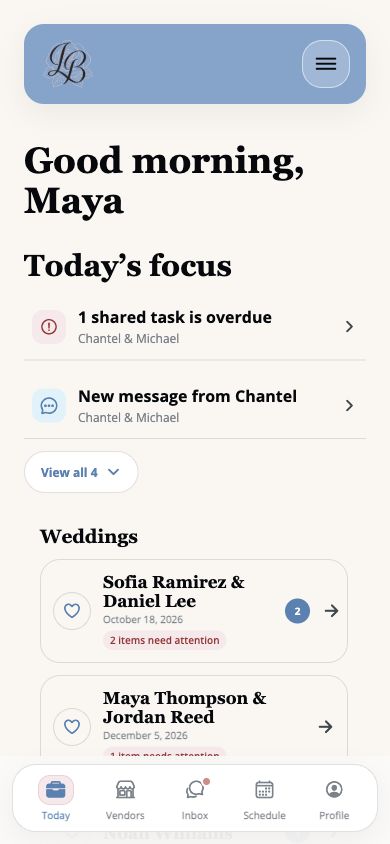
Your client already has a plan. Work from the same one.
LaBelle Bridal connects your professional support to the wedding plan your client already owns. You can reference the current tasks, vendors, appointments, budget information, guests and timeline without maintaining a second client-facing copy.
The bride stays in control of her wedding plan. You stay close to the details you are helping move forward.
Stay current
Work from the wedding information your client is actively using instead of chasing updates across scattered files.
Keep weddings separate
Move between client workspaces while each wedding’s details, dates and decisions remain distinct.
Keep roles clear
Support the shared plan as the professional without taking ownership away from the bride.
Open the right wedding. Then get into the details.
The professional home shows what needs attention across your client list. Each client workspace opens into the vendors, schedule and wedding information connected to that plan.
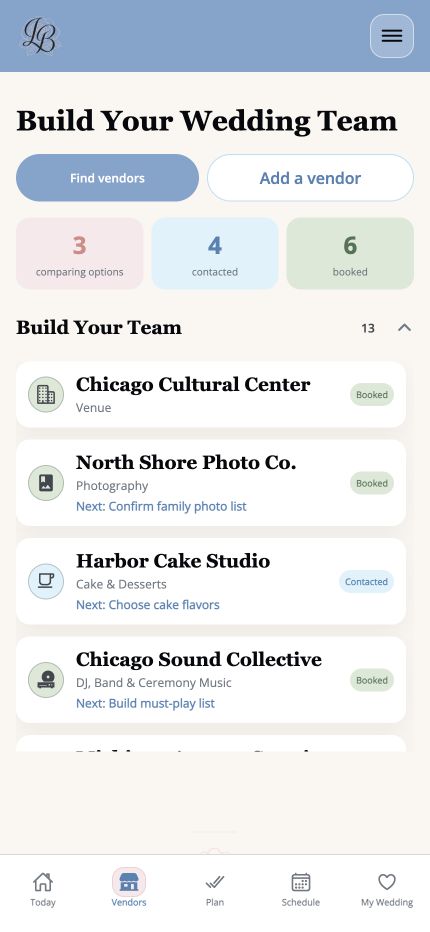
Vendor team
See the professionals connected to the wedding and the next step attached to each relationship.
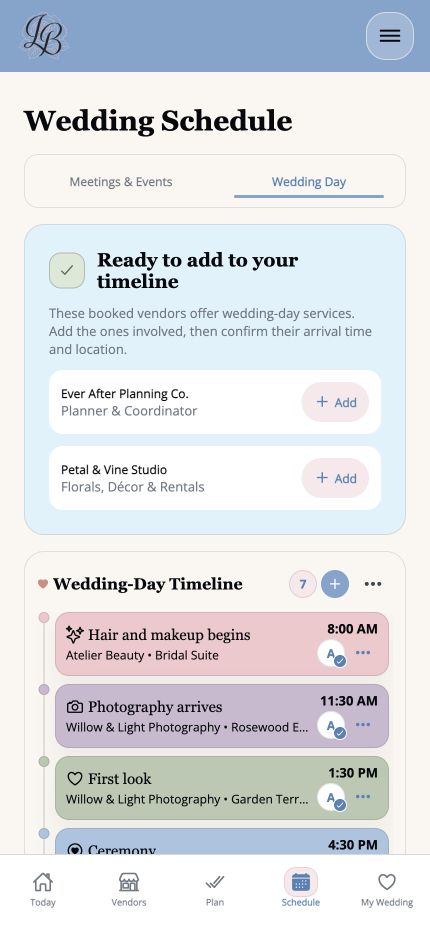
Wedding-day timeline
Connect booked vendors to arrival times, locations and the moments they are supporting.
Shared where it helps. Separate where it matters.
LaBelle Bridal is built around the point where the client’s wedding plan and your professional support meet.
The bride owns the plan.
She organizes her wedding, chooses who joins it and stays connected to the decisions shaping the day.
- Tasks, vendors and appointments
- Budget and guest information
- Wedding timeline
The planner connects professionally.
You move between active weddings, see what needs attention and work from each client’s current information.
- Current priorities and messages
- Planner schedule and client switching
- Separate wedding workspaces
Room for today’s clients. More when you need it.
Free Planner
two active weddings.Work from two connected client plans at a time. Archive or disconnect a completed wedding before adding another.
Planner Pro
five active weddings.Add capacity for a larger current client list while keeping every bride’s workspace separate.
Not another agency-management system.
LaBelle Bridal focuses on the bride-owned, client-facing wedding plan. It complements the tools you already use for leads, contracts, accounting, staffing and internal business operations.
The practical details.
Can I keep multiple client weddings separate?
Yes. Each active wedding has its own workspace, and you move between them from the professional view.
Does the bride keep ownership of her plan?
Yes. The bride owns her wedding plan and chooses whether to invite a professional planner or coordinator to collaborate.
How many active weddings are included free?
Free Planner supports up to two active wedding workspaces.
How many active weddings are included with Planner Pro?
Planner Pro supports up to five active bride workspaces.
Does LaBelle Bridal replace my business software?
No. LaBelle Bridal focuses on collaboration around the client’s current wedding plan. It complements systems used for leads, contracts, accounting, staffing and agency operations.
Your clients’ plans. One place to support them.
Start with two active weddings and work from the same current information your clients already use.
Get LaBelle Bridal